ConnectorSR
Brake valve on a HOTAS and power controller on a steering wheel in SimRail
Unofficial project, not affiliated with SimRail S.A.
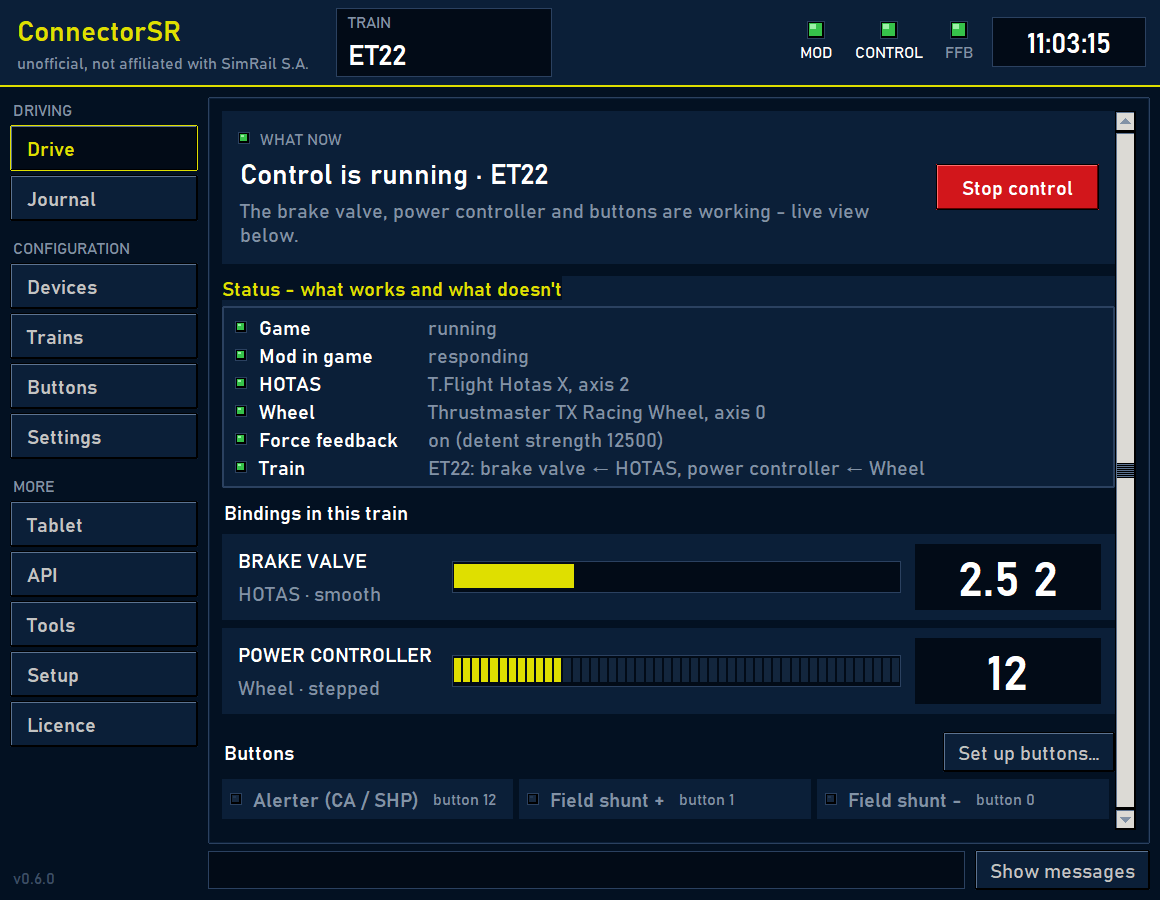
What it does
- Brake valve and power controller on your controllers - a HOTAS drives the brake valve, a steering wheel drives the power controller. Works in every train; the app finds the cab levers by itself.
- Detents in the wheel - force feedback gives power controller positions you can feel, end stops and resistance; an automatic calibration picks the forces.
- Train vibrations - knocks on rail joints and switches, jolts and wheel slip are felt in the wheel.
- Cab buttons - alerter, horn, pantographs, doors, sander and other functions on controller buttons; set once, works in every train.
- Journal and driving score - every leg from moving off to the stop gets a score of 0-100 with the reasons for lost points (hard braking, a hard stop, speeding…) and a tip; plus a chart of speed against the speed limits and a live score window.
- Cab signals in the wheel - a pulse on the alerter and SHP, a buzz when over the speed limit (optional).
- Phone panel, OBS overlay and API - speed, pressures and lamps on your phone after scanning a QR code, an overlay for streaming and data for your own devices (e.g. an ESP32); read-only.
- Sets itself up - a wizard installs what is needed; control starts together with the game; the app updates itself, can sit in the system tray, in English and Polish.
Windows 10 / 11 · SimRail (Steam) · a HOTAS and / or a steering wheel · a key (beta sign-up)
The server will generate a download link valid for 30 minutes. version 0.6, 17 October 2026, 16.7 MB
ConnectorSR is in beta. Sign up and your test key will arrive by e-mail within a few minutes.
By signing up you give the author your name, e-mail and message; the server also stores the date, the country and a hash of the IP address (not the address itself). The key is sent through the Resend e-mail service.
First run and important information
- Run the downloaded file (no installation needed - you can keep it on the desktop, for example).
- Enter the same key in the app and click Activate (internet needed - the app checks the key on every start).
- In the Setup tab click Install everything - the wizard downloads MelonLoader from the official source and installs the mod. The app starts in English when Windows is not set to Polish.
MelonLoader and the ConnectorSR mod change how the game works. You install and use them at your own risk - the author is not responsible for the consequences. The program is provided under the MIT licence, without any warranty.
Your browser or Windows may warn that the file is rarely downloaded or comes from an unknown publisher - the program has no paid certificate. Choose "Keep", and on first run "More info" → "Run anyway". The app downloads later versions by itself.
When a link is generated, the server stores the date, the country and a hash of the IP address (not the address itself) with the key.